
The project itself :
Project Overview
Applied Materials’ AI-Powered Troubleshooting Portal is a smart, AI-assisted platform created to help fab operators and field engineers rapidly diagnose and resolve semiconductor equipment issues. It combines machine logs, symptom analysis, and expert knowledge into an intuitive, guided interface that significantly reduces downtime and reliance on SMEs.
Problem:
In semiconductor fabs, troubleshooting equipment failures is:
slow and manual,
dependent on deep expert knowledge,
reliant on scattered documentation and tribal knowledge,
inconsistent across regions.
Operators often spend hours manually diagnosing issues affecting uptime and productivity.
Goal:
Design a user-centric troubleshooting portal that:
makes sense of complex machine data,
suggests likely fixes confidently,
guides technicians step by step,
reduces escalations and downtime.
The portal turns expert workflows into intuitive AI-augmented flows.
My role:
Senior UX Designer leading the design of the AI-Based Troubleshooting Portal, responsible for:
User research & synthesis
Workflow definition & IA
AI interaction design
Wireframes → high-fidelity screens
Usability testing & iteration
Cross-functional collaboration
Responsibilities:
conducting research,
storyboarding,
paper and digital wireframing,
usability studies,
iterating on designs,
making prototype
All about the user :
User Research
I conducted user interviews and contextual walkthroughs with fab operators, field service engineers, and subject matter experts to understand how equipment issues are diagnosed and resolved in real production environments. I found that users struggle with interpreting complex machine logs, identifying the right next steps, and knowing when to escalate issues. Existing tools require deep domain expertise and rely heavily on tribal knowledge. Users want a clear, guided experience that helps them diagnose issues faster, reduces guesswork, and provides confidence before escalating to experts.
Pain Points
Information:
Machine logs and error data are highly complex and difficult to interpret without expert knowledge. Information is scattered across multiple tools and documents, making it unclear which signals are relevant and what actions should be taken next.
Interaction:
Current troubleshooting tools are not designed around real operator workflows. Interfaces expose raw data without context, lack guided decision paths, and require users to manually connect information across systems.
Experience:
The overall troubleshooting experience is slow, stressful, and inconsistent. Users depend heavily on SMEs, leading to delays, repeated escalations, and increased downtime during critical production issues.
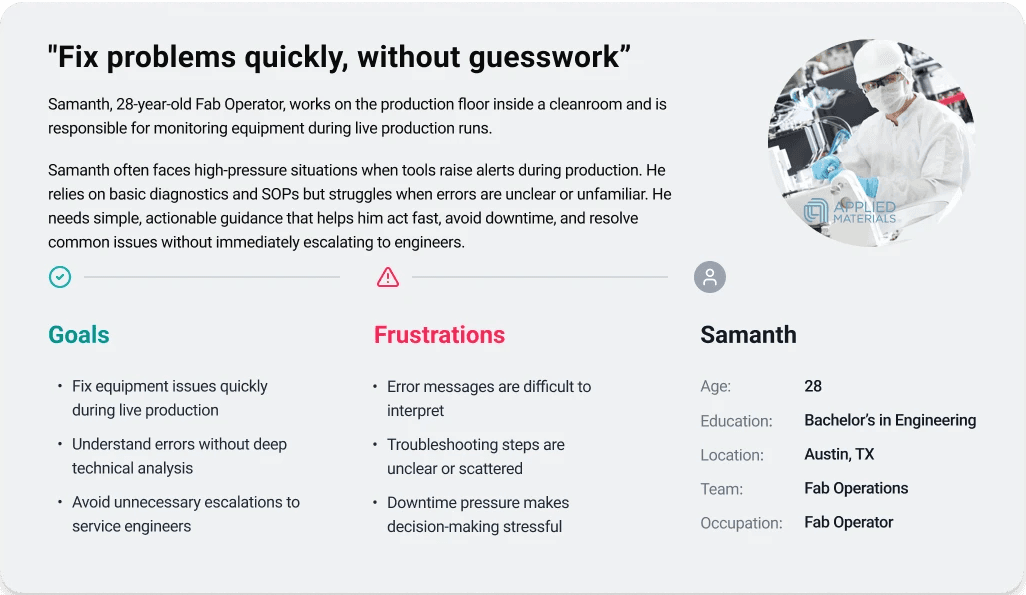
User Personas
Personas were selected by conducting user research and identifying common pain points, that frustrate and block the user from getting what they need from a product.
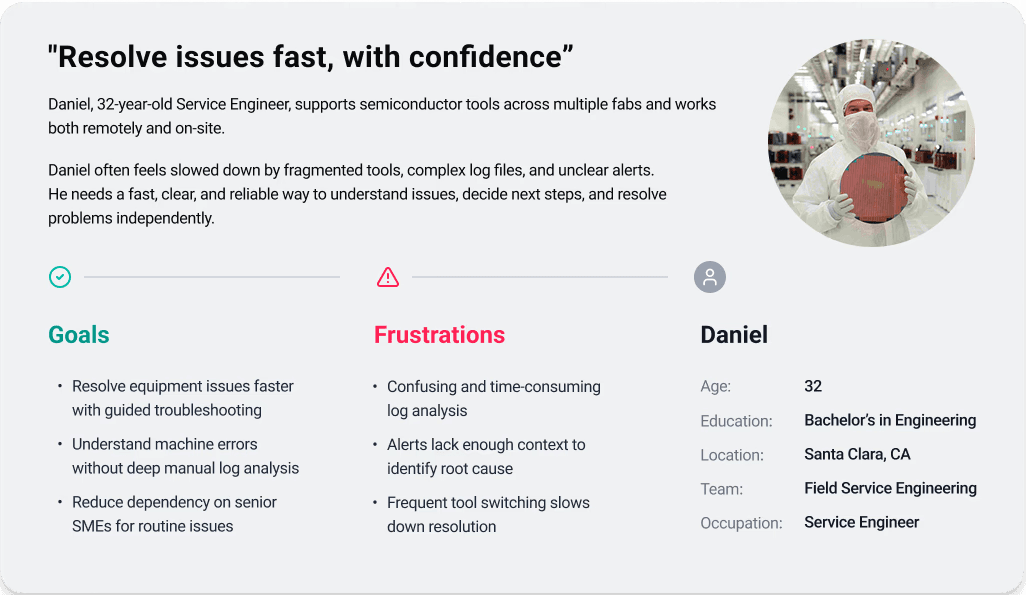

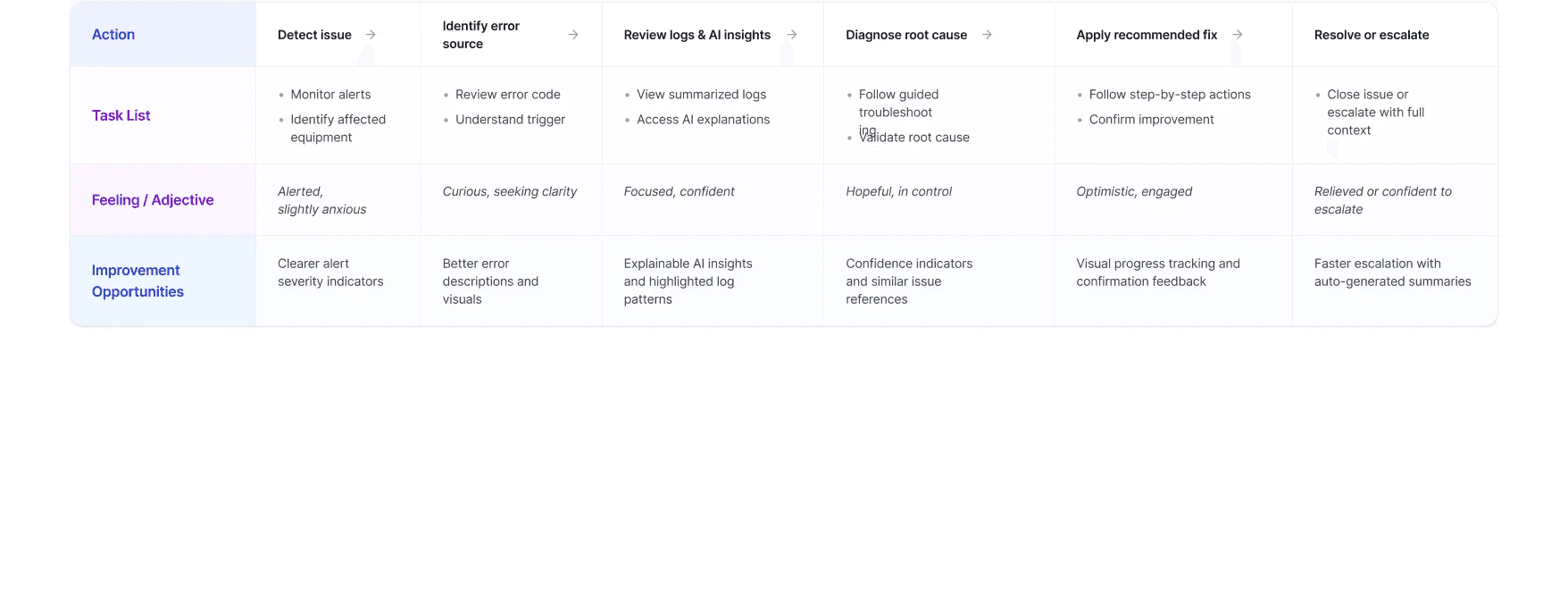
User Journey Map
It is the series of experiences Carlos has as he achieve a specific goal. It was built on the his experience.
I developed a user journey map of Daniels's experience with the site to pinpoint potential pain points and identify areas for improvement.
Goal
Mapped the end-to-end experience from:
Incident detected
Initial triage using logs
AI-assisted symptom diagnosis
Guided resolution steps
Escalation if needed
This revealed critical drop-off points where designers could streamline decisions.
The project schematically :
Starting the Design
Here I built some schemes and storyboards to clarify and understand information and architecture of the app. After I created paper wireframes and than proceeded with building digital wireframes with a low-fidelity prototype in order to conduct usability studies with stakeholders.
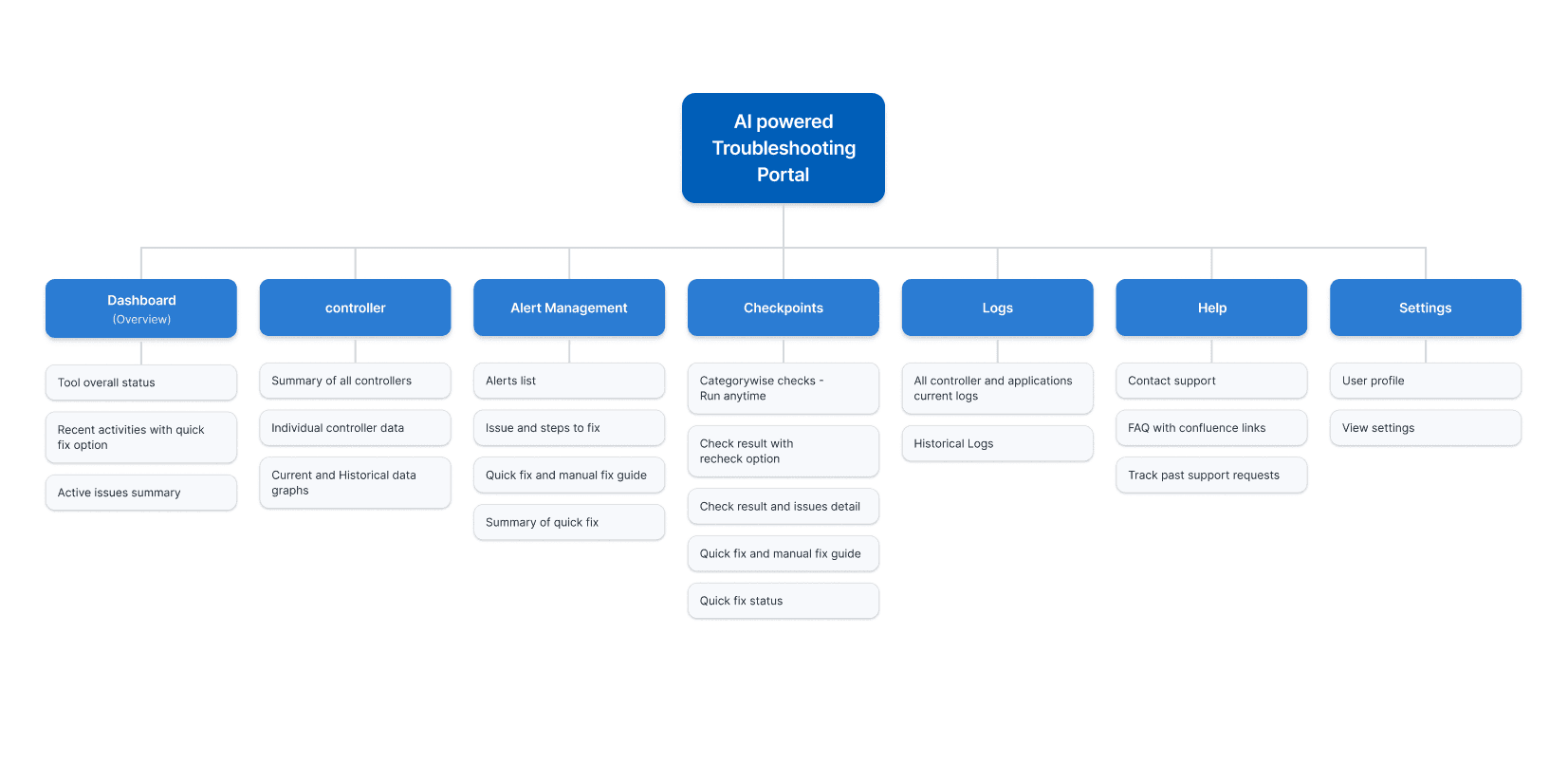
Sitemap
It's a structured scheme that outlines the pages and content hierarchy of the app.
Next step: creating the website map. Initially structure of the project was more complicated, and contained more services, sections etc. But the goal was to make it as simple as possible, and at the same time with all the info.
Paper Wireframes
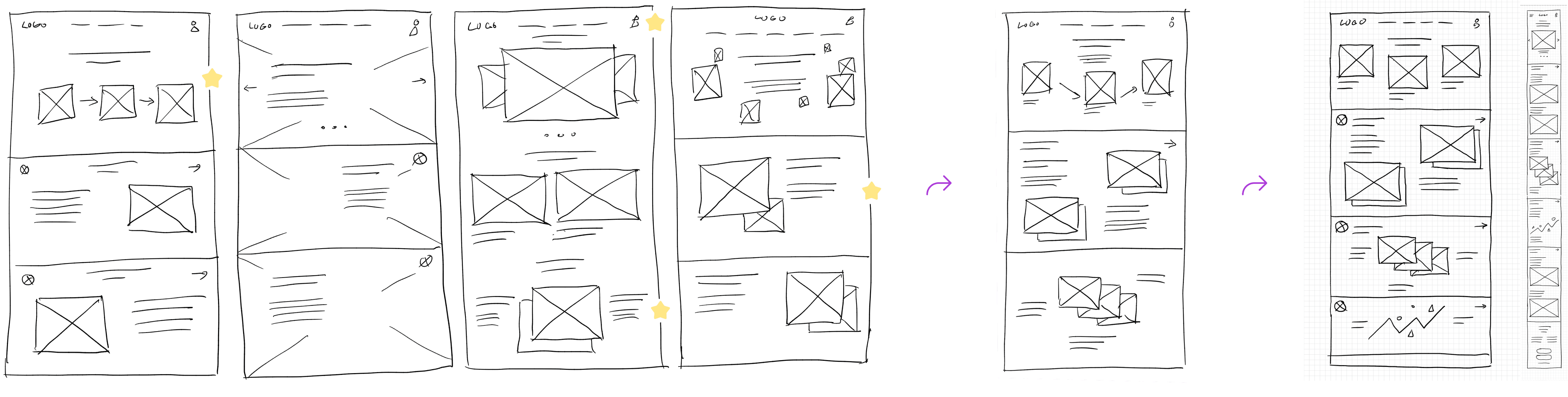
They initially oriented on the basic structure of the homepage and highlight the intended function of each element.
I explored multiple layout options to understand how troubleshooting data, AI insights, and actions could be structured on the main screen. After reviewing different approaches, I refined them into a single, clear layout.
Since the portal is used across multiple devices, I also created responsive wireframes for different screen sizes. The goal was to quickly explore ideas, validate information hierarchy, and guide users through complex troubleshooting flows.
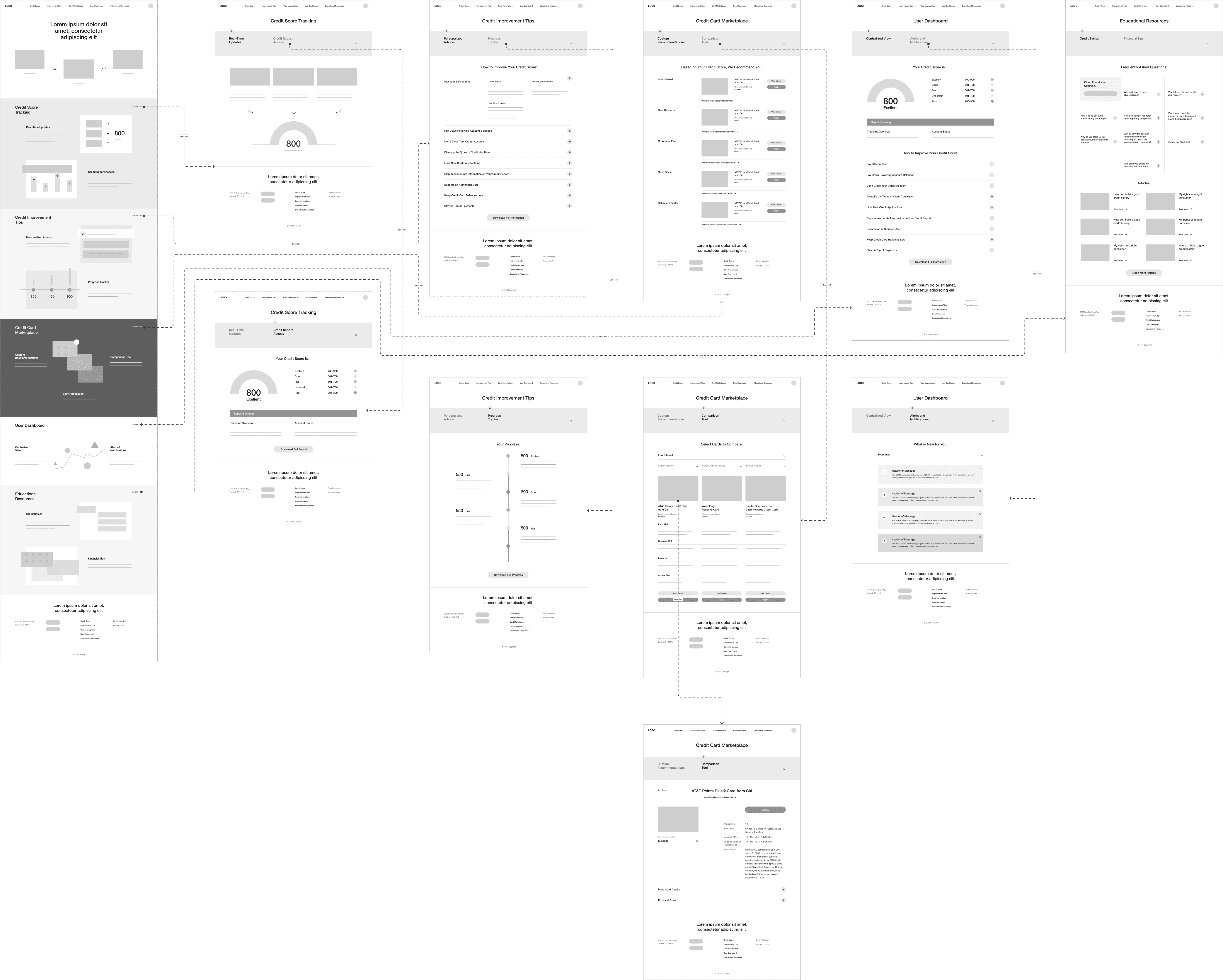
Digital Wireframes
More "clear" version of wireframes in a digital form. Also all the important pages are added
in it.
On this step I used the Figma design tool to create digital wireframes of all the pages. Then I bonded all of them into the clear and smooth structure.
The goal is to show how all the pages and things interact with each other.
Usability Studies
This is an examination of users and their needs, which adds realistic context to the design process.
Initially, I conducted unmoderated usability studies with several participants, who answered various questions about the site and shared their observations while interacting with the low-fidelity prototype. After gathering the data, I analysed and synthesised the information. Ultimately, I identified key themes and generated several insights.
The goal was to identify pain points that the user experiences with the app designs so the issues can be fixed before the final product launches.
Issue insights:
Make machine errors and log signals easier to understand visually, with clear summaries and AI-generated explanations.
Troubleshooting:
There is no clear guidance on which steps to take next or how to move through the troubleshooting process efficiently.
User dashboard:
The dashboard doesn’t clearly show what actions to take or how to resolve the issue faster, even though all the information is available.
The clear version :
Refining Design
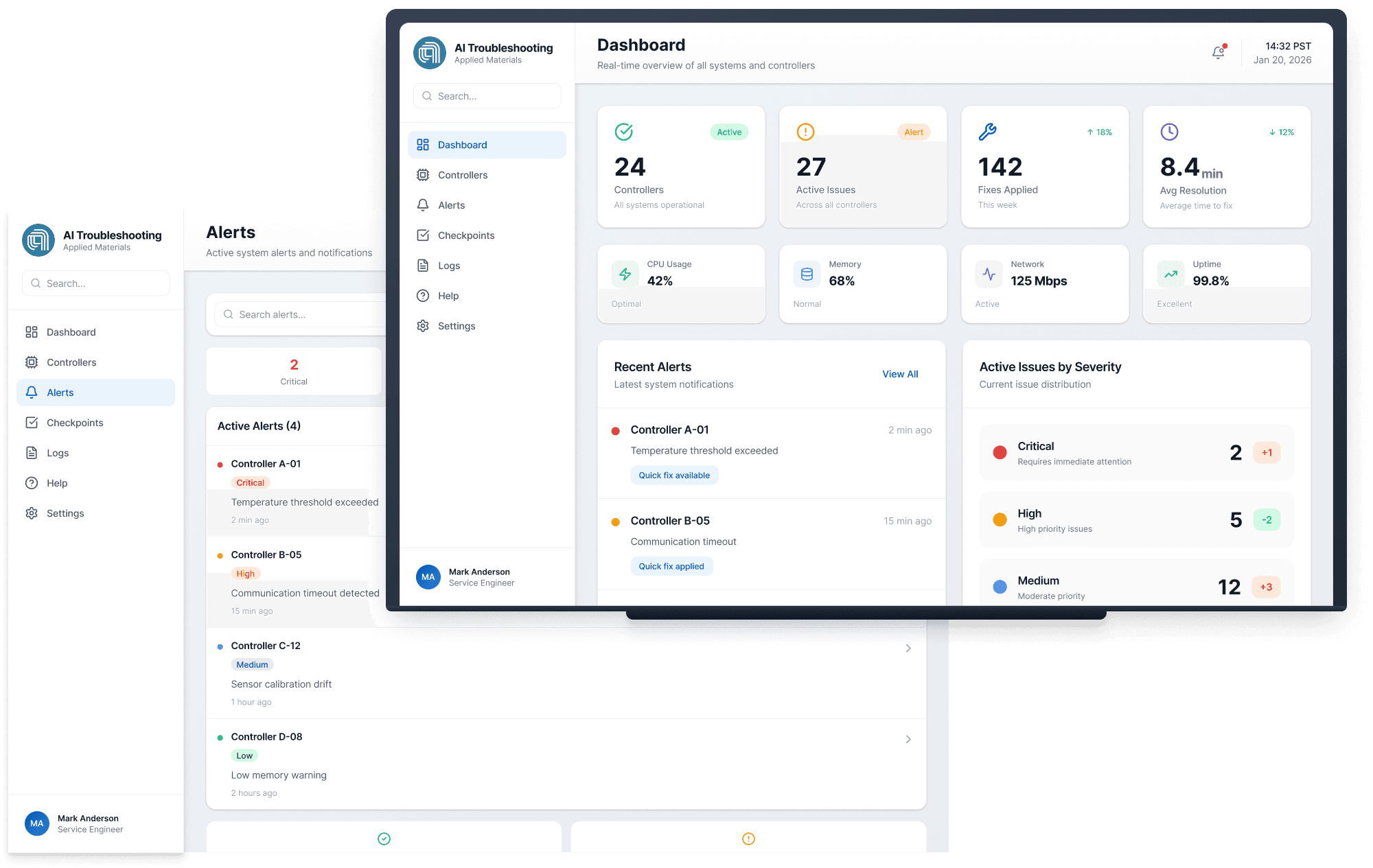
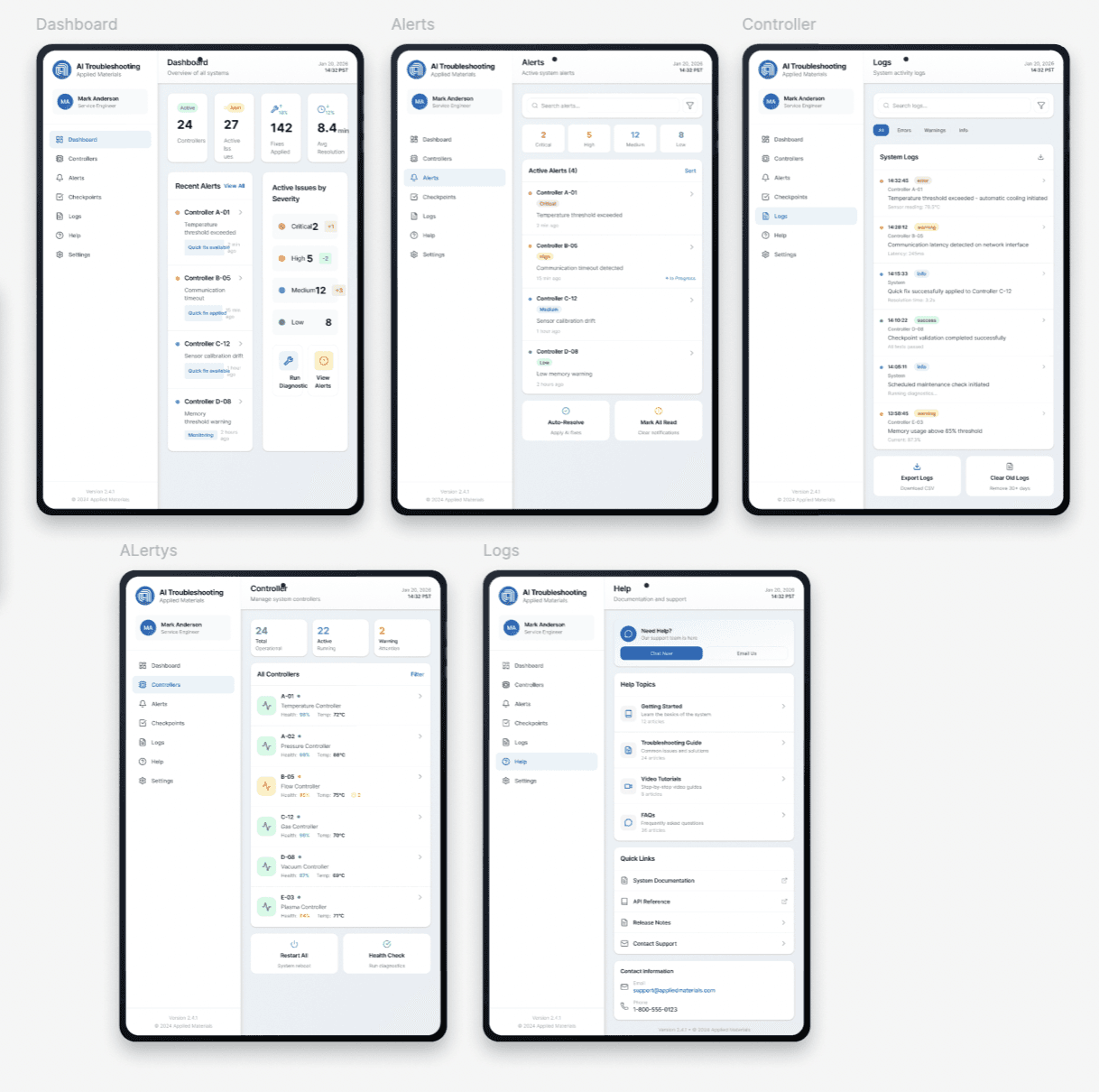
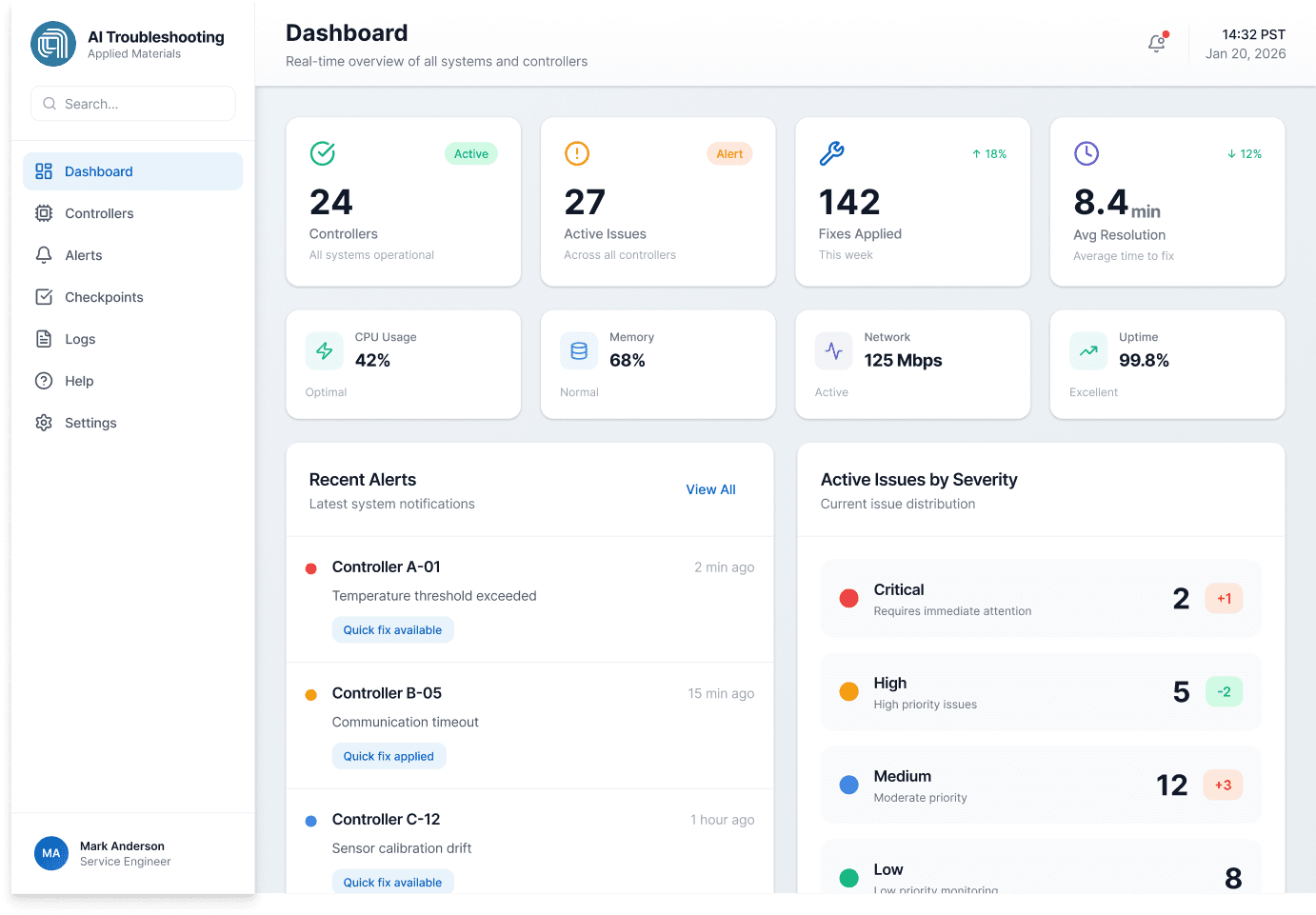
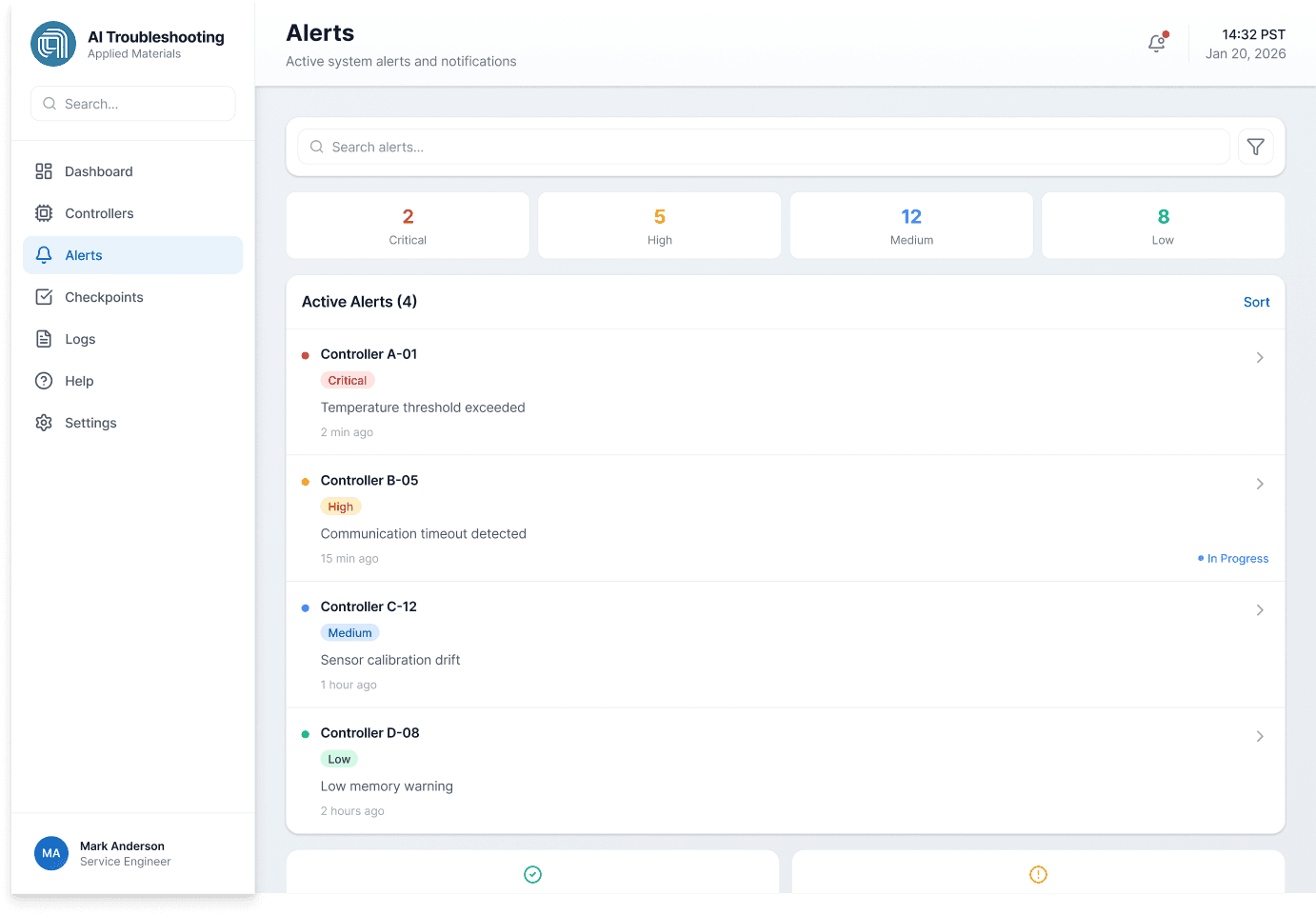
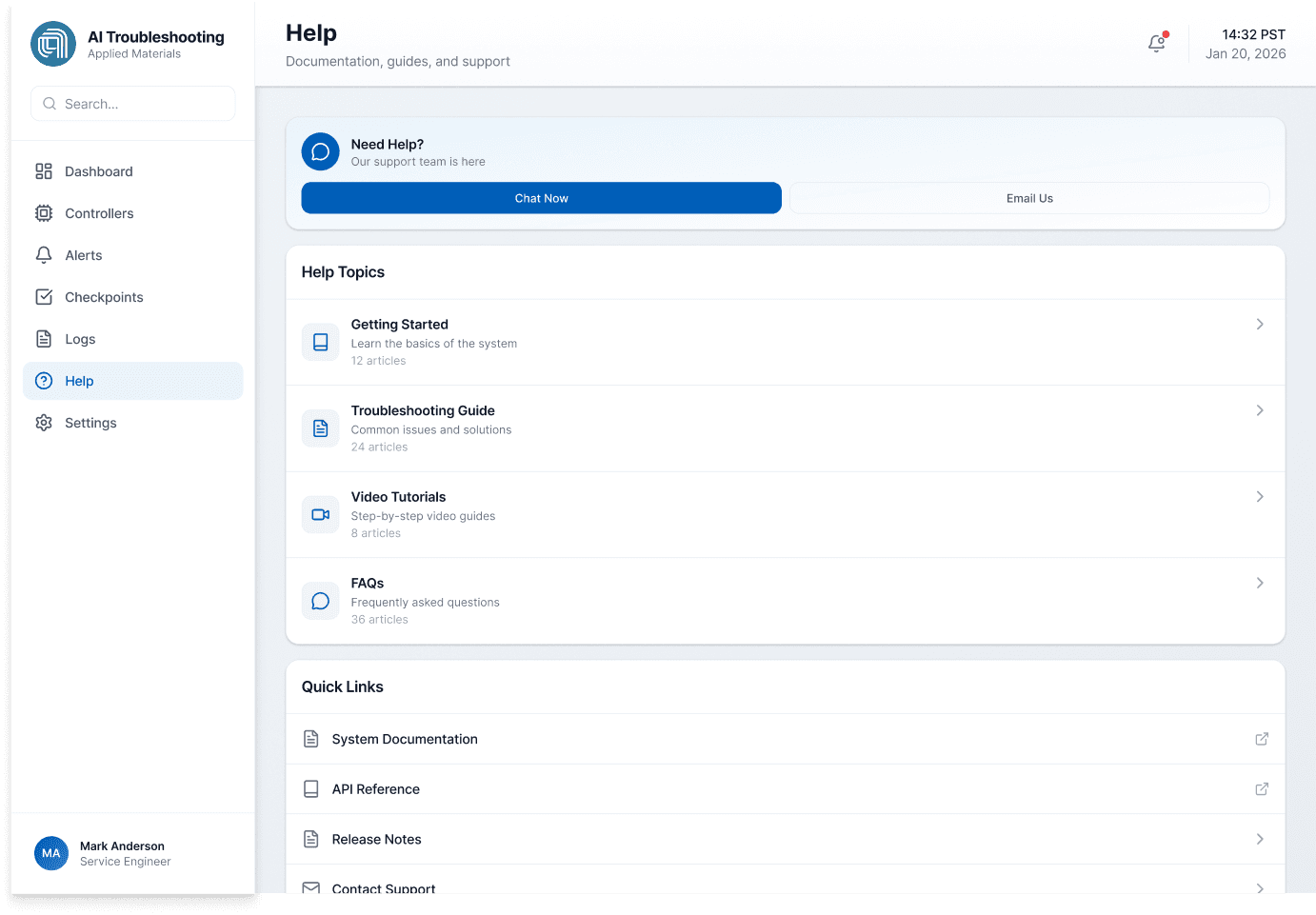
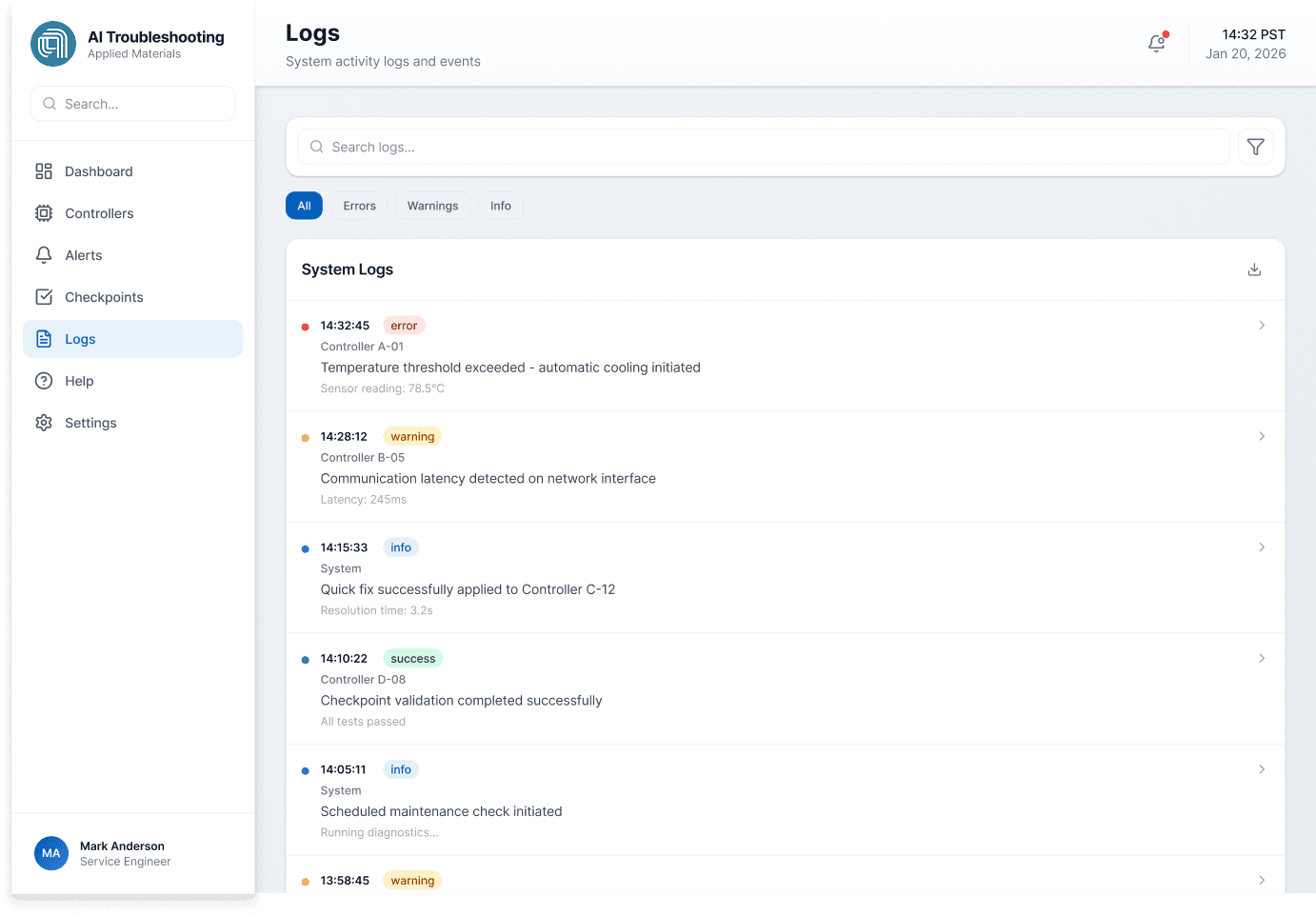
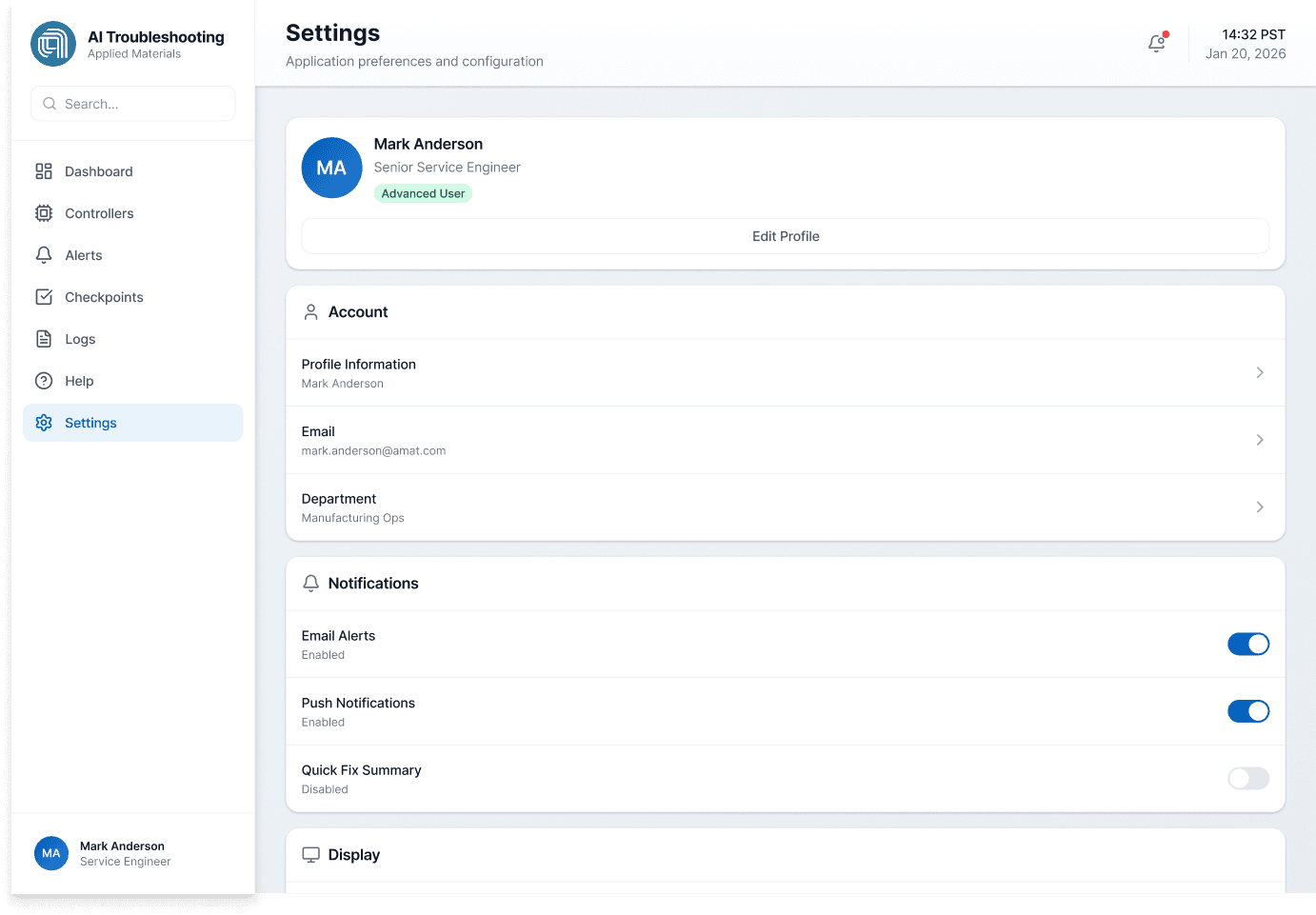
At this stage, I created high-fidelity design mockups that reflected insights from earlier usability testing and design exploration. These static screens represented the final visual direction of the troubleshooting portal.
I then built a high-fidelity prototype to simulate real troubleshooting flows and validate interactions before development.
Mockups
These are a high fidelity design that represents a final product
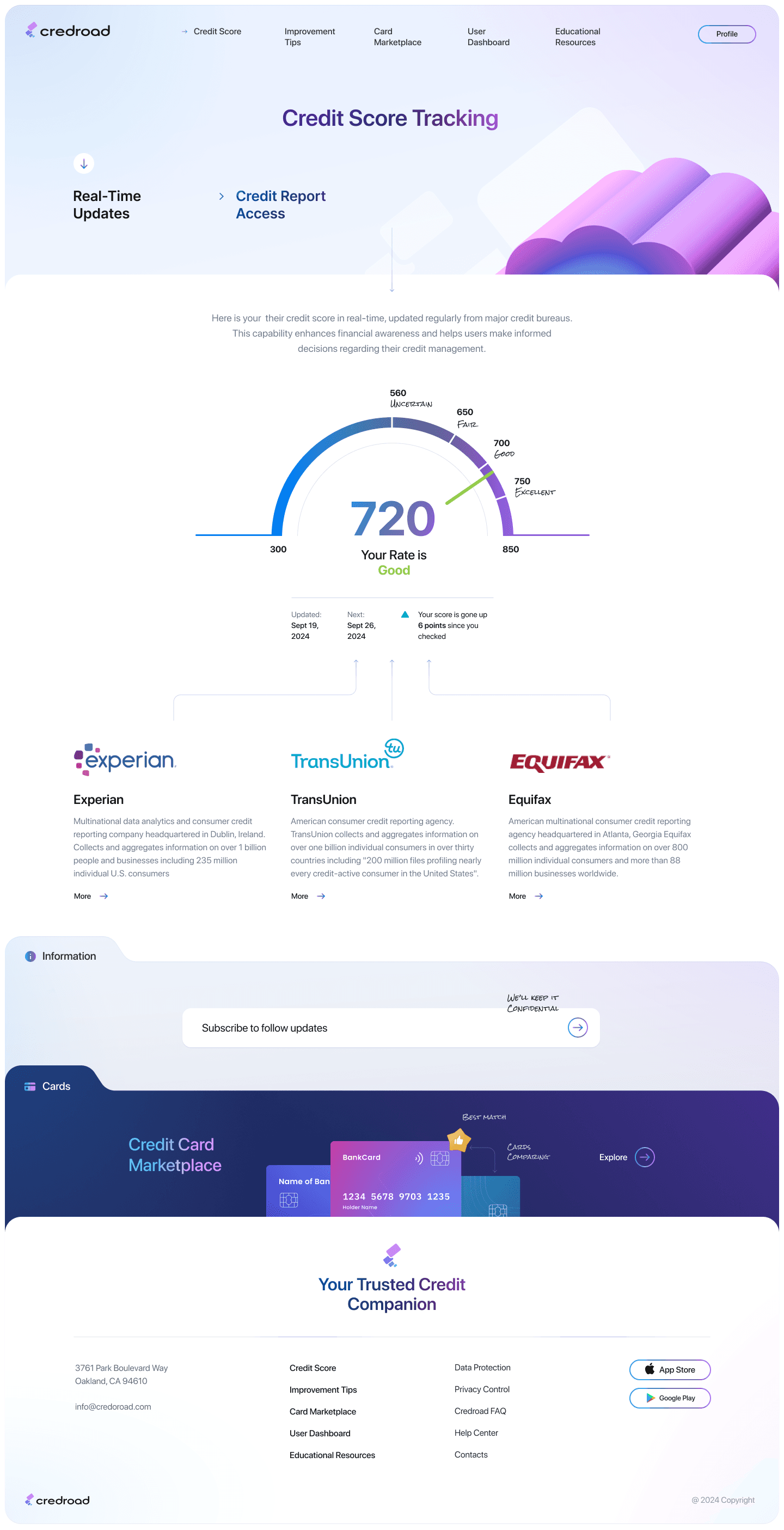
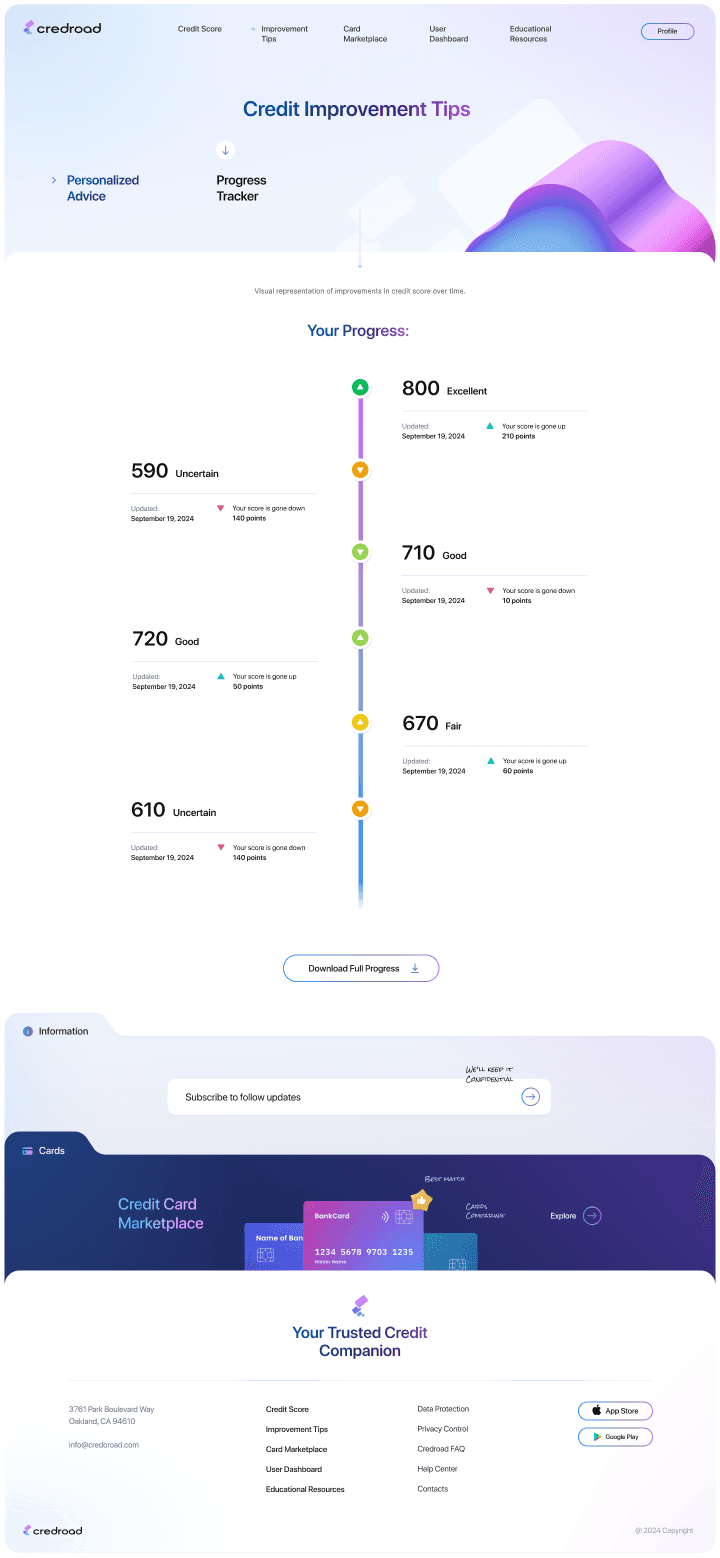
I designed all key portal screens using Applied Materials’ design guidelines, carefully applying typography, color, iconography, and standardized components. I built reusable elements and incorporated clear visual cues to support complex data interpretation.
The goal was to present the final troubleshooting portal in high detail, closely reflecting a production-ready experience.
The project schematically :
Outcome
Now, finally, it was important to reflect on key takeaways and identify a few clear next steps.
Takeways
This project showed how simplifying complex troubleshooting workflows and presenting clear, guided steps can greatly improve the user experience in high-pressure environments.
Impact:
Users described the troubleshooting portal as intuitive and easy to use, helping them understand issues faster, follow guided steps, and resolve problems with more confidence.
What I learned:
I learned that even small improvements in clarity, information hierarchy, and guidance can have a big impact on efficiency and decision-making.
Next Steps
The series of usability tests and design iterations that further validate and improve the troubleshooting experience.
Conduct follow-up usability testing on the next iteration of the troubleshooting portal.
Identify additional opportunities to enhance AI insights and improve the troubleshooting flow.